The wishlist that brings your customers back.
Capture and maximise purchase intent.
Your customers save your products to their favourites list in one click, no sign-up needed, and you remind them at the right moment.
- Free plan
- No card
- No theme changes
- PrestaShop
- WooCommerce
- Shopify
- Any eCommerce
The problem
The usual wishlist brings no one back.
Almost every store has one, and almost nobody uses it. It isn't a design flaw: it's the concept. And it has two limits it can't get past.
- 01
To save, you have to sign up.
Only people already willing to leave their details save anything: exactly the customers who were coming back anyway. Everyone else doesn't sign up, doesn't save… and leaves all the same.
- 02
What they save, they forget.
A tucked-away list nobody opens again. Two weeks later they don't remember what they saved or which store they saw it in. And the product is lost.
Spaidoo turns it around: saving with no sign-up, and favourites that bring them back.
The solution
Saved today. Bought tomorrow.
In online shopping, hardly anyone buys on their first visit. It's not that they don't want it: it's just not the moment yet. Spaidoo keeps that interest alive until it is.
They save it, no sign-up.
One click on the floating button or on the product page, and it's saved. No email, no password: nothing to make them give up halfway.
- From the floating button or the product page
- No account, no forms
- In your store's colours, with your icon

Studio Headphones
€149.00
Their list waits in your store.
Every time they come back, it's all at hand: their favourites, their lists, their notes and what they've been looking at. And if they sign in, on any device.
- Lists to organise ideas and gifts
- Notes on every product
- What they viewed, one click away
Studio Headphones
€149.00
5 items

Christmas gifts
List
Studio Headphones
Product

Chrono Watch
Product

Soy candle
Product

Retro Camera
Product
And they come back for it.
You know what they saved. When it drops in price, comes back in stock or has been waiting for days, you let them know, and they land straight on the product page to buy it.
- Price-drop and back-in-stock alerts
- Reminders of what they saved
- Your news on your store's board
10:24
Tuesday, 3 November
Something you saved just dropped in price
Studio Headphones · now €119.00
Your favourites are still here. Take another look?
Studio Headphones
€149.00
The wishlist is free. All of it.
Wicker bag
Product
Nomad watch
Product
Fig candle
Product
Halina camera
Product
Free, no card needed
The whole widget
- Save without an account
- Library and lists
- Shared ListIx
- Notes and history
Try the wishlist in a real online store.
Verso is a demo store with the widget really running. When you arrive, an interactive guide walks you through what your customer will see: saving a product, their lists, their history and the alerts that bring them back.
- 1The guided tour walks you through it
- 2Save with one click
- 3Open their library and their alerts
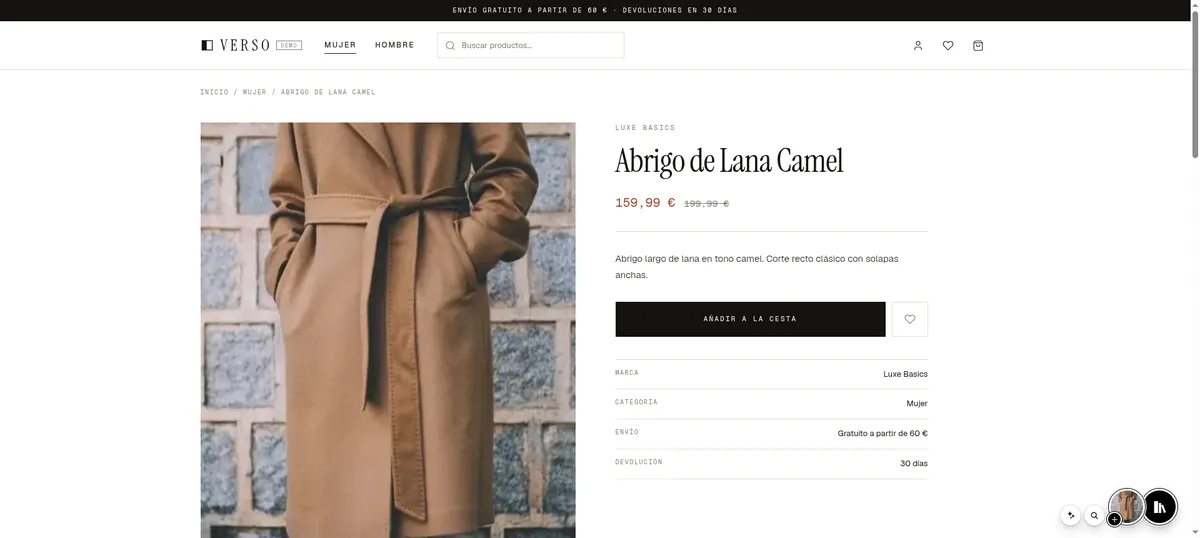
This is the favourites button
Save the coat with one click. No sign-up, no forms.
Much more than a favourites list.
One click to save, no sign-up.
While they look at a product, the floating button offers to save it. No email, no password: one click on the button or on the product page, and it's in their favourites list. Asking for an account is exactly where people give up on wishlists. Here there's nothing to fill in.
01 / 07Studio Headphones
€149.00BuyTo save, you need
Nothing.
Everything they like, in one place.
Every product they save stays in their wishlist, inside your store, with photo, price and priority. Next time they visit, it's one click away, no searching again.
02 / 075 items
Studio Headphones
Product
Wicker bag
Product
Chrono Watch
Product
Retro Camera
Product
Soy candle
Product
Sort by
Their ideas, sorted into lists.
They create lists with a name, a description and a cover: Christmas gifts, the living-room makeover, the summer trip. Each list is a shopping project, and a reason to come back to your store.
03 / 07
Christmas gifts
List

Living-room makeover
List
Trip to Lisbon
List
Create list
Name
Christmas gifts
Description
For the family, before the 20th.
And they share them with whoever decides with them.
A ListIx is a collaborative list: it isn't just theirs, it belongs to everyone they invite. They share it with a link, and their partner, family or friends join and build it together: each one adds products, comments and instantly sees what the others add. The Christmas present, the wedding list, the home makeover: purchases decided by several people are now decided in your store. And every member is one more customer browsing your catalogue, without you lifting a finger.
04 / 07by Me



Marc joined the list
Ana joined the list
They vote to decide what to buy.
Inside the ListIx, a poll settles the “which of the two?”. Votes come in live and the decision is made in your store, not in a group chat.
05 / 07Which one do we get Dad?
5 votes
2 votes
Live
Ana voted+1They note what they don't want to forget.
Personal notes on each product —the size, the colour, who it's for— or notes for the whole list. All the context of the purchase, saved next to the product.
06 / 072 notesWicker bag
€89.00
Personal note
Size M. Check if it comes in black.
Marc · List noteThey're going to love this one!
And what they viewed, too.
Everything they look at in your store stays in their history, even if they don't save it. Days later, it's one click away and they land right back on the product page.
07 / 07Studio Headphones
€149.00
Nordic Lamp
€129.00

Straight jeans
€119.00
Wicker bag
€89.00
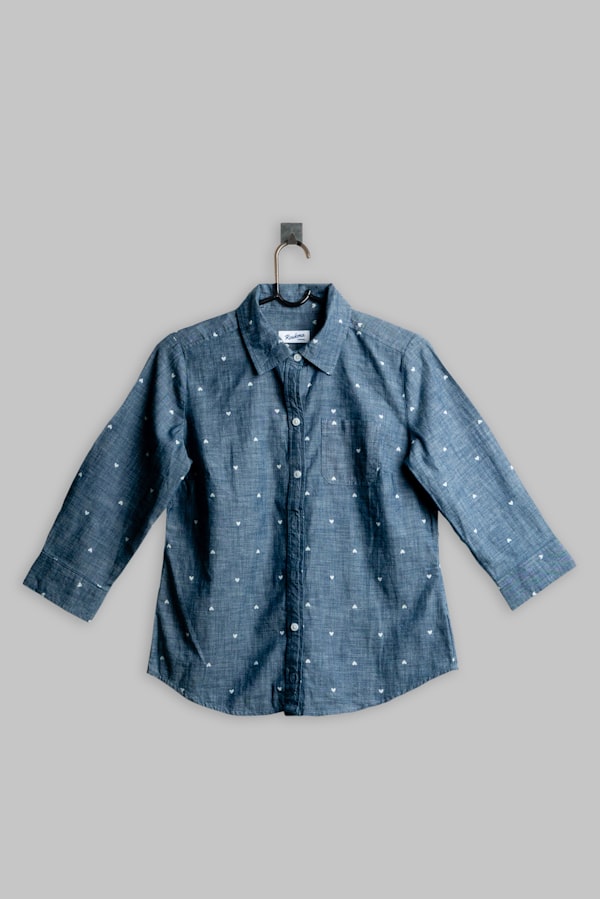
Chambray shirt
€49.90
Retro Camera
€349.00
Studio Headphones
Viewed 3 days ago
Five ways to talk to your customers.
Your news, inside their list.
Post offers, news and collections on your store's board, inside the widget. It's seen by people who already saved something of yours: people who know you and are one click from coming back. The ones you mark as important open by themselves the first time they come in, once per visit.
New autumn collection, now in store
See the collectionImportant
Opens by itself, once per visit
One notification, and they're back.
Send a notification to whoever follows your products. It goes out with your store's name and logo, reaches phone and desktop even when you're not open, and one tap puts them back on the product page.
10:24
Tuesday, 3 November
Something you saved just dropped in price
Chrono Watch · now €159.00
Your favourites are still here
Something you saved just dropped in price
Chrono Watch · now €159.00
Phone and desktop
To whoever follows your products
Alerts that send themselves.
Set the alert once and it goes out when it should: when something they saved drops in price or comes back in stock, when it's been waiting for days, or when other people start looking at what they saved. You don't have to remember a thing.
Sent today
Chrono Watch10:24Wicker bag11:02Nordic Lamp12:40Sent on its own
And by email, with their favourites inside.
Whoever turns on your store's alerts leaves you their email. It's your contact, and you get it next to the products they saved. So every campaign goes out with what you already know they want, instead of the same email for everyone. It exports to the email marketing tool you already use.
Your store
To: ana@mail.com
The thing you saved just dropped in price
Chrono Watch
€159.00€189.00
See the productYou get this email because you turned on alerts from Your store.
With what they saved
Carousels that already know what to show.
Inside your store, “most saved this week” or “what you saved” build themselves from what your customers save and view. Nothing to pick by hand.
Most saved this week
128Wicker bag
€89.00
100Chrono Watch
€189.00
78Nordic Lamp
€129.00
56Soy candle
€24.90
Builds itself
Your visitors. Your contacts.
When someone turns on your store's alerts, they leave their email. That contact is yours, with the products they saved right next to it, and it leaves Spaidoo whenever you want.
- Syncs with Klaviyo and Mailchimp
- Or export it as CSV and JSON, any time
- Every contact, with what they saved and viewed
- No middleman: your store writes to your customer
Shall we tell you if the price drops?
Your store will only write to you about what you save. You can unsubscribe any time.
Syncs with
New contact
Saved: Wicker bag Event: price drop
What your analytics can't see.
Your analytics tell you what was visited. Spaidoo tells you what was wanted: who saves, what they save, who comes back and who has gone quiet. And from the same report, you write to them.
- Reports on followers, saves, activity, retention and conversion
- Dashboards your way, compared with the previous period
- Rankings: most saved, saved a lot but rarely clicked, who has gone quiet
- Every report is also the audience you send to
Unique followers
1,284
▲ +12.4%vs prev. 30
Saved products
3,976
▲ +8.1%vs prev. 30
Widget opens
9,310
▲ +21.7%vs prev. 30
Conversion rate (total)
of interested people came to your store
Most saved products
Your wishlist, up and running today.
- 1
Create your free account
No card, no commitment. Registering your store takes a minute.
- 2
Connect it to your store
With your platform's module or with one line of code. Nothing to change in your theme, nothing to migrate.
- 3
Try it and publish it
Start in test mode, match it to your brand and open it to your customers when you're happy.
Whatever your online store is built with
PrestaShop
Official module
WooCommerce
Official plugin
Shopify
Snippet in your theme
Any eCommerce
One line of code
And you're in charge
Off
Your store downloads nothing.
Test
Only you and whoever has the link can see it.
Published
Visible to all your customers.